Using Steve to Orchestrate Quarterly Business Reviews
Jan 13, 2026

Preparing The Review: Steve Chat and AI Email compress scheduling and intake into a single conversational workflow, eliminating coordination overhead.
Collating And Synthesizing Data: File-aware ingestion plus shared memory produce a consistent, reusable source of truth for metrics and narratives.
Aligning Actions And Ownership: AI-powered task boards turn decisions into assigned, timeboxed work and sync to Linear to avoid double entry.
Running The Review And Follow-Up: Live summaries, decision logs, and automated follow-up emails reduce ambiguity and accelerate accountability.
Workflow Benefit: Combining shared memory with integrated chat, email, and task automation shortens prep cycles and increases execution velocity.
Introduction
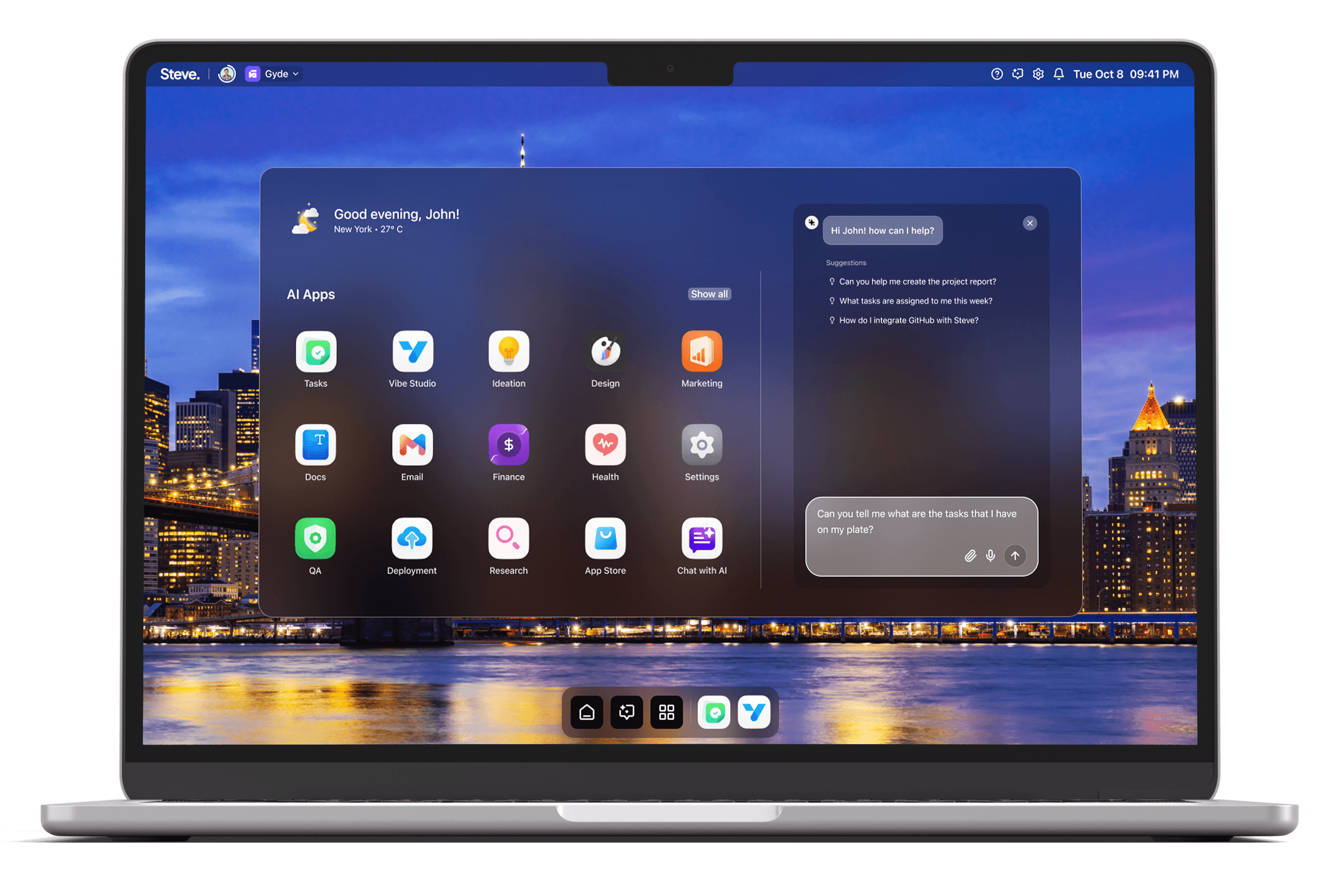
Quarterly business reviews (QBRs) are decision points that demand accurate context, concise narratives, and rapid alignment across teams. Steve, an AI Operating System, reorganizes QBR workflows by connecting email, calendar, documents, and execution into a single conversational surface. Using Steve’s shared memory, Steve Chat integrations, AI Email summaries, and AI-powered task boards, teams reduce prep time, surface the right data, and convert decisions into tracked work without manual handoffs.
Preparing The Review
Begin by delegating the logistics and information intake to Steve through conversation rather than spreadsheets and back-and-forth email threads. Ask Steve Chat to scan calendars, propose meeting windows, and create a draft agenda that populates the event invite; because Steve integrates with Google Calendar and Gmail, scheduling and invitation edits remain synchronized. Simultaneously, use AI Email to summarize long threads from stakeholders and to surface outstanding asks, so the review agenda reflects real open items instead of assumptions.
Practical scenario: the head of Sales tells Steve to “Schedule the QBR with regional leads and include last quarter’s revenue deck.” Steve Chat checks availability, creates a calendar slot, drafts an agenda, and AI Email summarizes the most relevant exchange threads for each participant — eliminating separate coordination sprints and ensuring everyone receives the same baseline materials.
Collating And Synthesizing Data
A successful QBR depends on a single source of truth for metrics, decks, and customer anecdotes. Use Steve Chat’s file-aware capabilities and its integrations with Drive and Sheets to ingest quarterly spreadsheets, CRM exports, and PDF contracts. Because Steve’s shared memory connects agents and tools, the system preserves context — KPI definitions, baseline targets, and prior commitments — so subsequent analyses remain consistent across conversational prompts and summaries.
Practical scenario: upload a performance spreadsheet and ask Steve, “Show underperforming accounts versus plan and suggest three talking points.” Steve aggregates the data, highlights variances, and produces slide-ready bullets that reference the same KPI definitions stored in shared memory. That reusable context prevents drift between the analyst who prepared the numbers and the executive presenting them.
Aligning Actions And Ownership
Translate review outcomes into a transparent execution plan using Steve’s AI-powered task management boards. After decisions are recorded in the QBR, create tasks directly from the conversation: assign owners, set due dates, and tag priorities. Steve’s task boards integrate with Linear, allowing teams that use engineering workflows to ingest these tasks without double entry. The shared memory ensures task descriptions carry the same context captured during prep and synthesis, preserving intent and acceptance criteria.
Practical scenario: during the QBR, leadership decides to pursue three retention experiments. Command Steve to “Create tasks for each experiment, assign to product and growth, propose a two-week sprint, and sync to Linear.” Tasks, owners, and suggested sprint scopes appear in the boards immediately, with links back to the data points and threads that justified each experiment.
Running The Review And Follow-Up
During the live session, use Steve as a facilitator: surface prewritten summaries from AI Email, pull real-time metric snapshots via Steve Chat, and record decisions so the shared memory retains a canonical log. After the meeting, automatically generate a concise QBR brief and personalized follow-up emails that AI Email can draft and send. Convert action items into the task board and trigger notifications for assignees to prevent execution lag.
Practical scenario: at meeting close, ask Steve for a “one-page decisions brief and five follow-up emails.” Steve composes the brief from the same data and threads used in preparation, drafts tailored emails for each owner, and queues tasks on the board. Recipients receive context-aware messages that include the exact metrics and commitment text, reducing clarification loops.
Steve
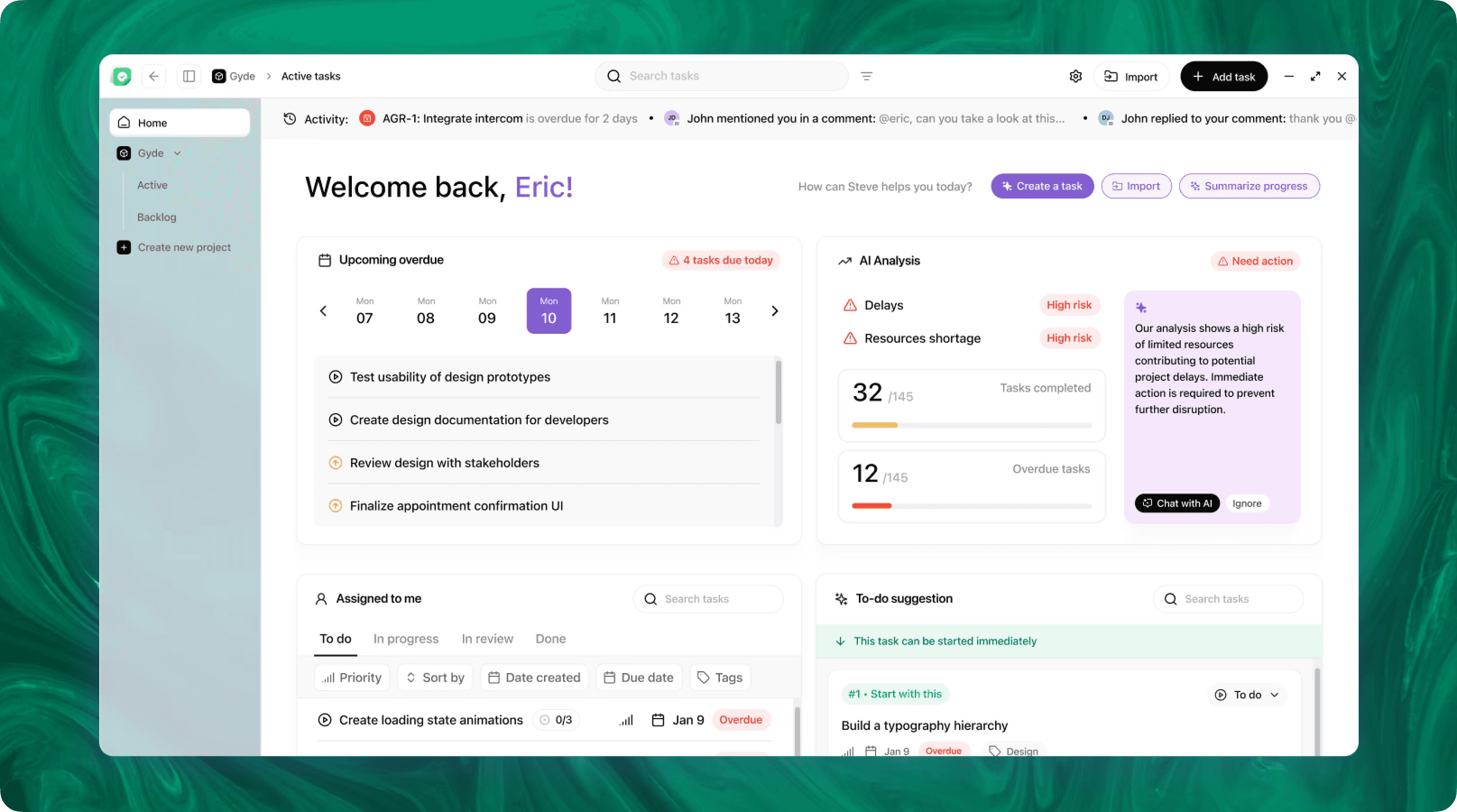
Steve is an AI-native operating system designed to streamline business operations through intelligent automation. Leveraging advanced AI agents, Steve enables users to manage tasks, generate content, and optimize workflows using natural language commands. Its proactive approach anticipates user needs, facilitating seamless collaboration across various domains, including app development, content creation, and social media management.
Conclusion
Orchestrating QBRs with Steve turns a fragmented, manual process into a repeatable operating rhythm. As an AI OS, Steve centralizes context with shared memory, streamlines scheduling and document access through Steve Chat, accelerates clarity via AI Email summaries, and drives execution with AI-powered task boards and Linear syncs. The result: shorter prep cycles, clearer reviews, and faster, measurable follow-through.