Automating Risk Registers Through Conversational Workflows
Dec 9, 2025

Conversational Capture And Shared Memory: Natural-language inputs recorded via Steve Chat become structured register entries with persistent context preserved across agents.
Continuous Risk Assessment And Prioritization: Conversational updates and integrations let Steve synthesize new signals and convert risks into prioritized tasks on AI-powered management boards.
Evidence, Audit Trail, And Email Integration: File-aware chat and AI Email summaries consolidate attachments and threads into a single, auditable risk dossier.
Integrations And Remediation Workflows: Cross-tool actions created from conversation preserve rationale and automate ticketing, scheduling, and verification steps.
Workflow Benefit: Combining conversational capture, shared memory, task automation, and email summarization keeps risk registers current, actionable, and traceable.
Introduction
Automating risk registers through conversational workflows reduces friction, speeds decision loops, and keeps accountability visible. As an AI Operating System, Steve connects conversational intelligence, shared agent memory, task management, and email summarization to turn spoken or written prompts into living risk records. This article explains practical patterns for moving from incident or observation to prioritized remediation using Steve’s conversational surface and integrated modules.
Conversational Capture And Shared Memory
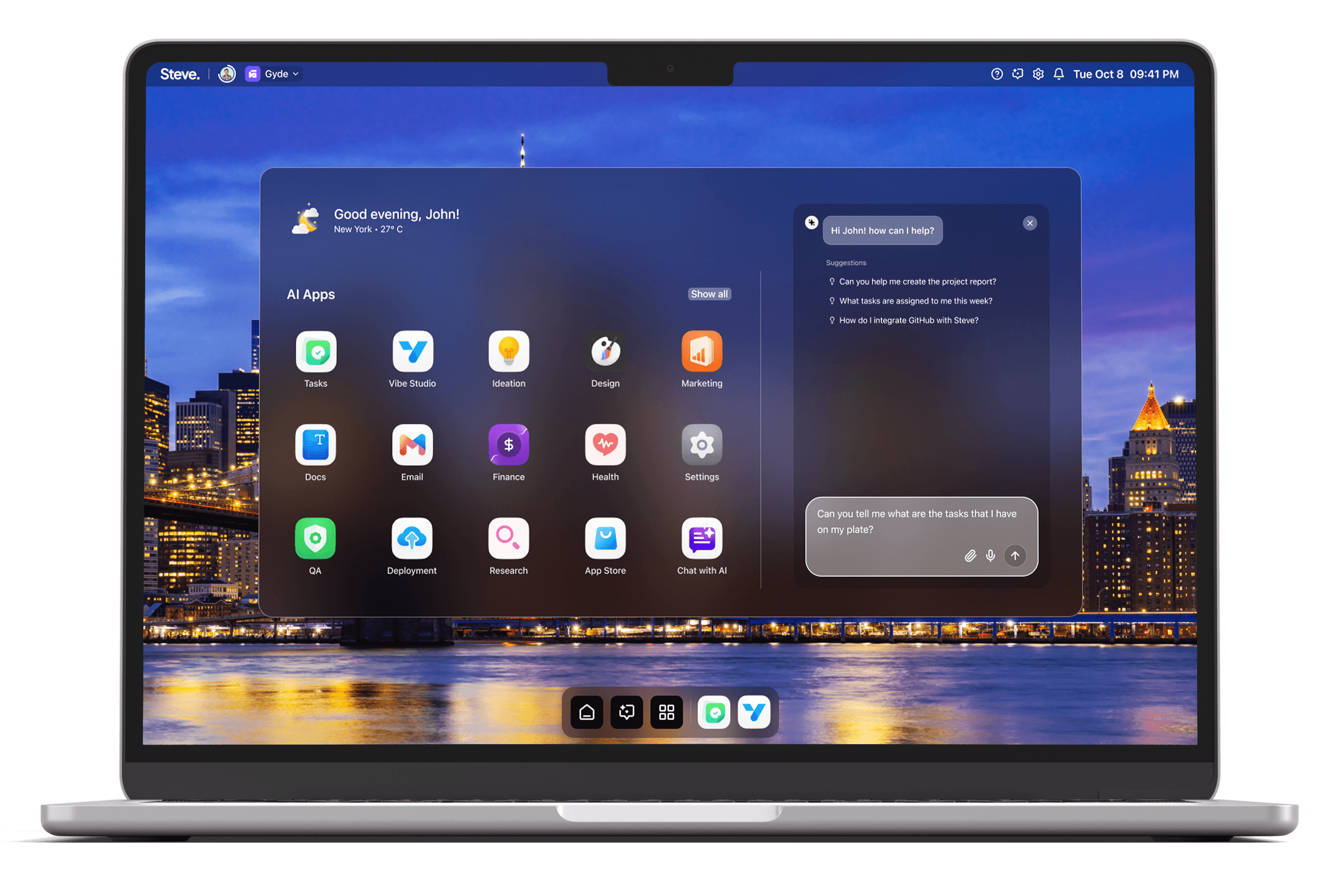
A risk register begins with capture. Steve’s conversational interface (Steve Chat) lets teams record risks by speaking or typing natural language, attaching files, and linking context from calendars or documents. Because Steve supports file-aware interactions and real-time integrations, a user can say: “Log a supply-chain delay impacting vendor X with expected delivery slip of two weeks,” and the system captures the statement, associated evidence, and metadata.
Behind the chat layer, Steve’s shared memory system preserves context across agents and sessions so entries remain coherent as they evolve. That memory ensures subsequent queries—whether from another team member or an automated agent—inherit prior context: severity assessments, linked documents, and mitigation history stay connected to the original record. The result is a conversational capture that produces structured, queryable risk items instead of fragmented notes.
Practical scenario: During a daily stand-up, a product lead reports a regulatory concern. Rather than opening a spreadsheet, the team tells Steve to create an entry; Steve Chat extracts key fields (risk description, owner, date, evidence link) and persists them in shared memory for downstream actions.
Continuous Risk Assessment And Prioritization
Keeping a register current requires ongoing assessment. Steve’s conversational agents can run follow-up probes and synthesize new information into each risk entry. Using integrations available through Steve Chat, agents pull recent emails, calendar events, or relevant documents and update the risk’s context automatically. Teams can ask conversationally: “What changed on the vendor X delay this week?” and Steve will summarize updates tied to that register item.
Task Management complements this by converting assessed risks into prioritized tasks or sprints. The AI-powered boards propose owners, deadlines, and priority levels based on contextual signals—impact statements captured in conversation, document timestamps, or frequency of related incidents. This keeps remediation actionable: risks flow from conversational capture into execution without manual re-keying.
Practical scenario: After an automated assessment raises the probability of a data incident, Steve proposes a mitigation sprint, assigns an owner, and schedules a check-in; the team accepts the proposal in chat and the task appears on the management board.
Evidence, Audit Trail, And Email Integration
A defensible risk register needs evidence and an auditable trail. Steve Chat is file-aware and LangFuse-enabled for detailed logging of conversational history; every update can reference uploaded PDFs, spreadsheets, or email threads. The AI Email module augments this by summarizing long threads, tagging critical messages, and surfacing decision-relevant content directly into the risk entry.
By combining chat logs, attachments, and summarized email threads, Steve produces a consolidated audit trail: who said what, when evidence was added, and how assessments changed over time. That consolidation is crucial for compliance reviews and post-incident retrospectives because it eliminates scattered documentation and makes the register a single source of truth.
Practical scenario: An auditor requests the timeline for a mitigation decision. Steve compiles the chat history, attached vendor notices, and summarized email correspondence into a chronological dossier tied to the risk entry.
Integrations And Remediation Workflows
Risk remediation often spans tools. Steve Chat’s integrations let agents read from and write to calendars, sheets, and ticketing systems, while the Task Management module aligns remediation work with sprint planning. Teams use conversational prompts to trigger cross-tool actions: assign a ticket, create a calendar checkpoint, or export a register subset for stakeholders.
Because shared memory synchronizes context across agents, integration actions preserve the rationale: when a ticket is created from a risk entry, the ticket includes the original conversational summary, evidence links, and the proposed priority. That continuity reduces context loss during handoffs and accelerates closure.
Practical scenario: A CTO tells Steve to escalate a high-severity infrastructure risk; Steve opens a remediation ticket, notifies the on-call calendar, and adds a verification checklist to the risk entry—each step traceable in the register.
Steve
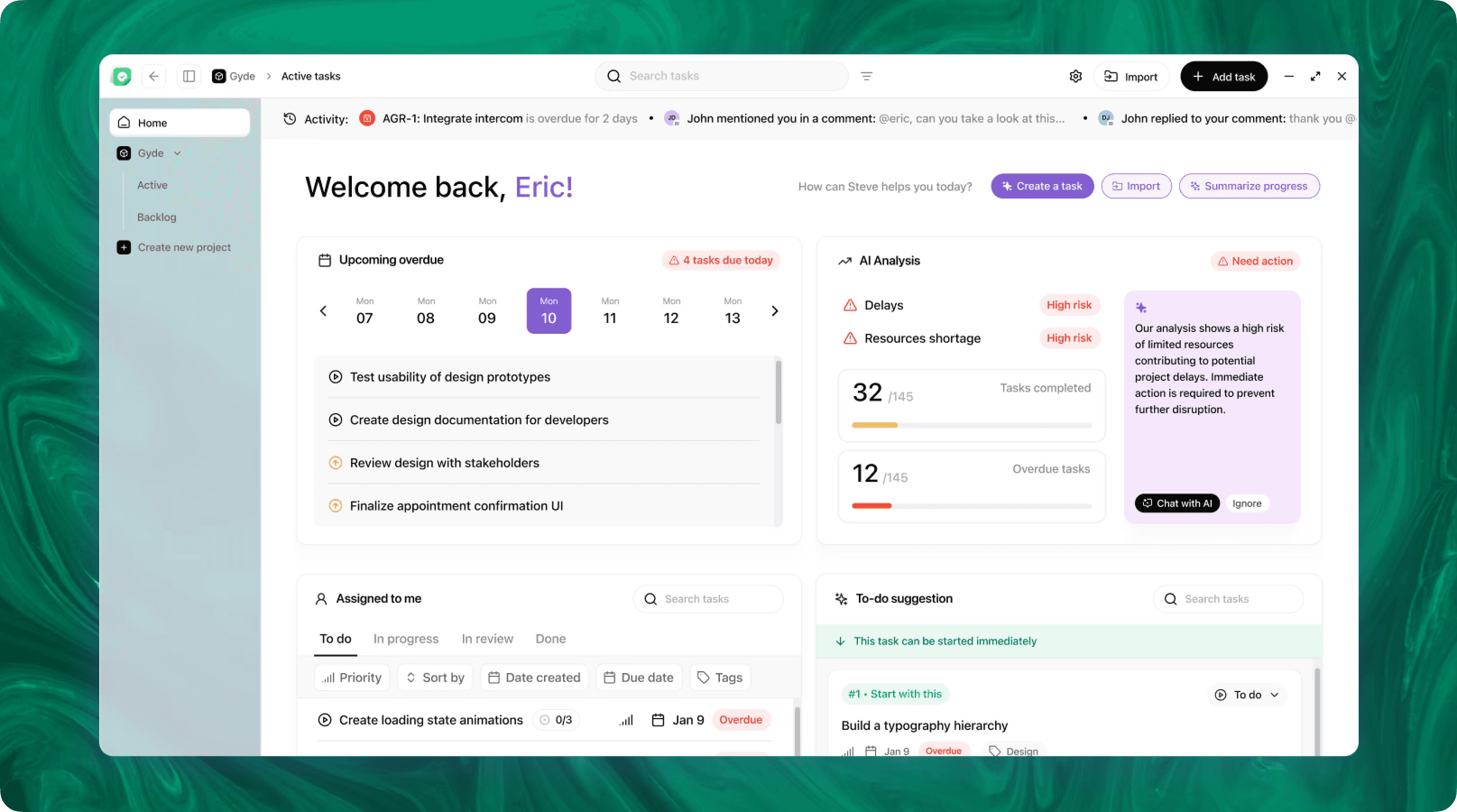
Steve is an AI-native operating system designed to streamline business operations through intelligent automation. Leveraging advanced AI agents, Steve enables users to manage tasks, generate content, and optimize workflows using natural language commands. Its proactive approach anticipates user needs, facilitating seamless collaboration across various domains, including app development, content creation, and social media management.
Conclusion
Automating risk registers through conversational workflows turns ad hoc observations into structured, auditable, and actionable records. As an AI OS, Steve combines conversational capture, shared memory, task automation, and email summarization to keep risks live, evidence-backed, and remediation-focused. The outcome is faster detection, clearer prioritization, and a single source of truth for risk management.